Free · browser-based · local image processing
See your thumbnail where viewers will find it.
Load a local image and title, then compare them across six illustrative YouTube layouts before you publish. Already have a public video link? Find its available thumbnail sizes first.
- No account
- Nothing uploaded
- Export any layout as PNG
Add the thumbnail and title
Have a public YouTube video URL? Download an available thumbnail, then return here to preview it.
Compare six placements
A quick visual review
From image to a clearer pre-publish decision.
Use the tool for a concrete visual check, then keep the exported preview with the video project.
- 01
Load the real thumbnail
Drop in the image and add the title you plan to publish with.
- 02
Compare the placements
Switch between Home feed, Search, Watch page, Shorts, Mobile and Sidebar.
- 03
Export the review
Save a PNG of the layout you checked before publishing the video.
Learn by checking
Two short guides for your next review.
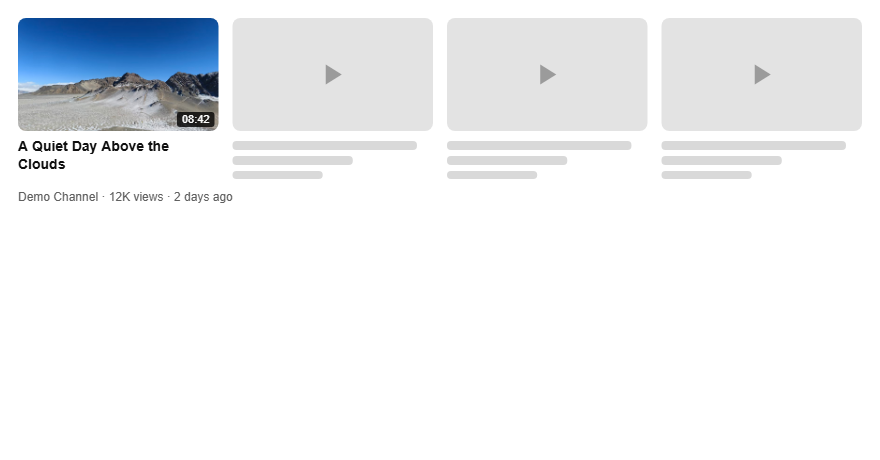

These are illustrative layout previews, not a live YouTube interface or a prediction of clicks. Actual layouts can vary by device and change over time. GIF files are rendered as a still preview; downloads are PNG images.
Supported formats and limits
- Input formats: JPG, PNG, WebP, GIF. Anything else is rejected with an error message.
- Maximum file size: 10 MB. Larger files are rejected before they are read.
- Recommended size: 1280×720 (16:9). Other sizes are accepted and cropped to 16:9 to match how YouTube renders them.
- Placements covered: home feed, search results, watch page, Shorts, mobile feed, sidebar — six layouts, each downloadable as PNG.
- No account, no upload. Everything runs in this browser tab. Your image never leaves this machine.
How to use this thumbnail tester
- Drop in your thumbnail, or paste it from the clipboard.
- Type the title you plan to publish with, plus channel name, views, duration and publish age if you want the card filled in.
- Switch between the six placements to see how it holds up where viewers will actually see it.
- Hit Download PNG to save the placement you are looking at.
FAQ
What is a thumbnail tester?
A youtube thumbnail tester renders your image and title inside the layouts YouTube actually uses, so you can check cropping, text size and contrast before you publish instead of after.
Is this yt thumbnail tester free?
Yes. No signup, no upload, no watermark. It runs entirely in your browser.
Can I test the thumbnail and title together?
Yes. This youtube thumbnail and title tester draws the title next to the image in every placement, because a thumbnail rarely fails on its own — it usually fails by repeating what the title already says.
Does it score my thumbnail?
No. It shows you what viewers will see. Judging it is your call.