MyThumbTester guide
What moves from a YouTube thumbnail downloader into a thumbnail tester?
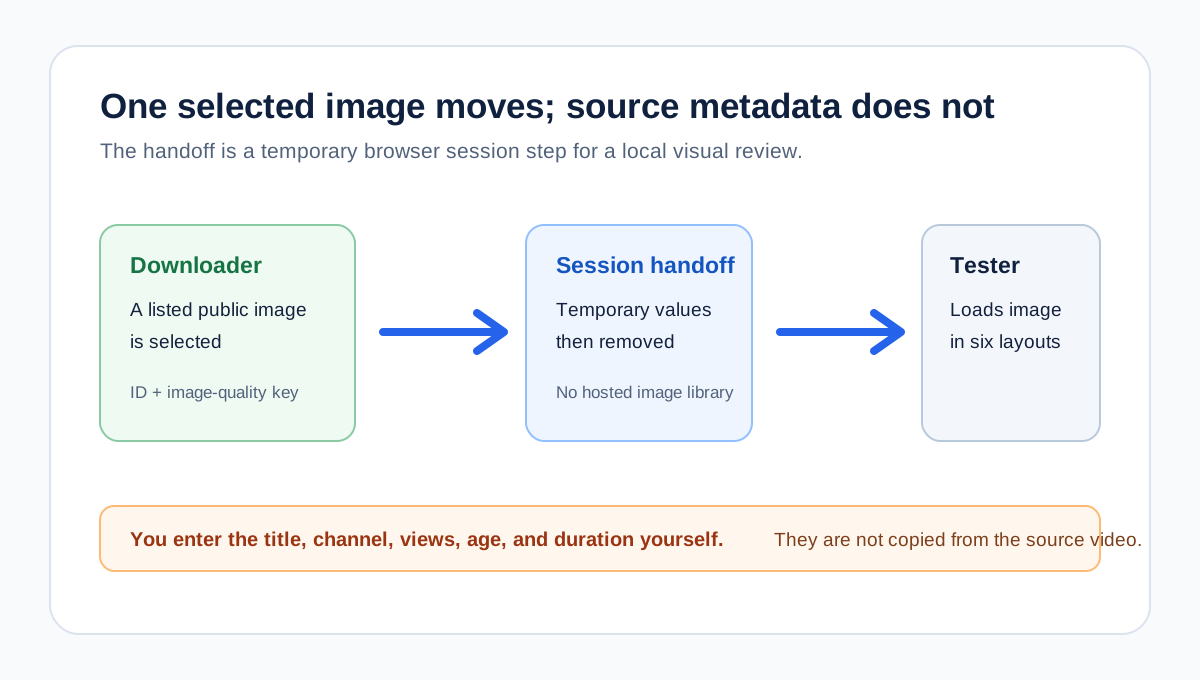
MyThumbTester passes the selected public image into the tester, but it does not copy a video title, channel name, views, age, or duration.
Only the selected public thumbnail is handed to the tester
When you choose Open in thumbnail tester after the downloader lists an available public image, MyThumbTester stores only the parsed public video ID and the selected image-quality key in browser session storage. The tester uses those two values to fetch and decode that selected public thumbnail image, then removes the handoff value. It does not obtain or fill a video title, channel name, view count, age, or duration from the public link. This is a reproducible browser-only handoff, not a prediction of click-through rate, ranking, distribution, or views.
The practical result is deliberate: inspect the transferred image first, then enter only the title and optional display details you want to examine in the local layout. The fields are not claims about the source video and are not automatically collected from YouTube.
The handoff has two small browser-side steps
First, the downloader can offer Open in thumbnail tester only after it has a parsed ID and a size that the browser actually listed as loaded. It writes a short session value containing the video ID and selected size, then navigates to the tester. Second, the tester reads and immediately removes that session value before loading the selected public image response.
This means the transfer is not a hosted asset library or a record of every downloader visit. The selected public image still has to load in the tester's browser session. If it cannot be fetched or decoded at that later step, the tester shows its defined recovery message instead of substituting another image.
Enter the review context yourself
After the image arrives, enter the exact draft title you want to check, then switch among Home feed, Search, Watch page, Shorts, Mobile, and Sidebar. Add a channel name, views, age, or duration only when those details help you inspect the visual hierarchy of that illustrative frame. The image transfer does not make those values accurate for the source video.
If you want a record, export the selected local layout as PNG. The exported file records the current MyThumbTester canvas and the text you entered at that moment; it does not prove that YouTube uses the same metadata, crop, or placement.
What the handoff does not provide
The handoff does not download the video, access private material, transfer source-video metadata, establish permission to reuse the image, or guarantee future image availability. It also cannot identify a better-performing thumbnail or forecast clicks, rankings, distribution, or views. It is a narrow convenience step for moving one browser-listed public image into a local visual review.