MyThumbTester guide
A two-pass YouTube thumbnail review: image first, title second
Use the same thumbnail preview twice: first to find the subject, then to check whether the title adds context.
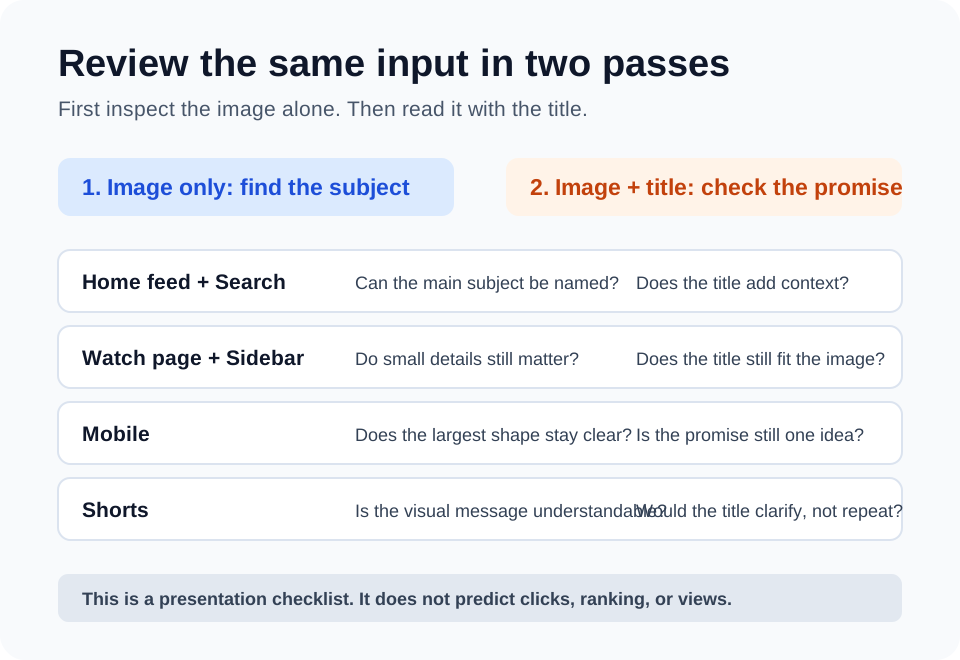
Pass one: inspect the image before the title
Start by looking at the thumbnail without reading the title. In each MyThumbTester layout, identify the main person, object, place, or moment. If you cannot name it without help from the title, the visual message is not ready for review yet.
Use Home feed and Search to check the first impression, then move to Watch page, Sidebar, Mobile, and Shorts. The question changes slightly with the placement: on smaller previews, ask whether the largest shape and strongest contrast still point to the intended subject.
Pass two: read the title with the same image
Keep the image unchanged and read the title in the same six layouts. The title should add context, a specific outcome, or a reason to care. It should not be required to explain a crowded image, and it should not merely repeat what the image already communicates.
This second pass is useful because a thumbnail and a title form one visible message. You are checking whether that message is coherent in the layout you are looking at, not estimating how an audience will respond.
Record one revision at a time
If a layout fails the first pass, change the image composition, focal subject, or visual hierarchy before changing the title. If it passes the first pass but fails the second, revise the wording so it contributes something new. Export the layout you reviewed as a PNG and keep it with the video project.
What this review cannot answer
A preview cannot tell you whether a viewer will click, how a video will rank, or how many views it will receive. It gives you a repeatable way to inspect what is visible in an illustrative layout before publishing.