MyThumbTester guide
Try a thumbnail layout example before loading your own image
Use MyThumbTester’s generated example to explore its six illustrative layouts before you load a local thumbnail.
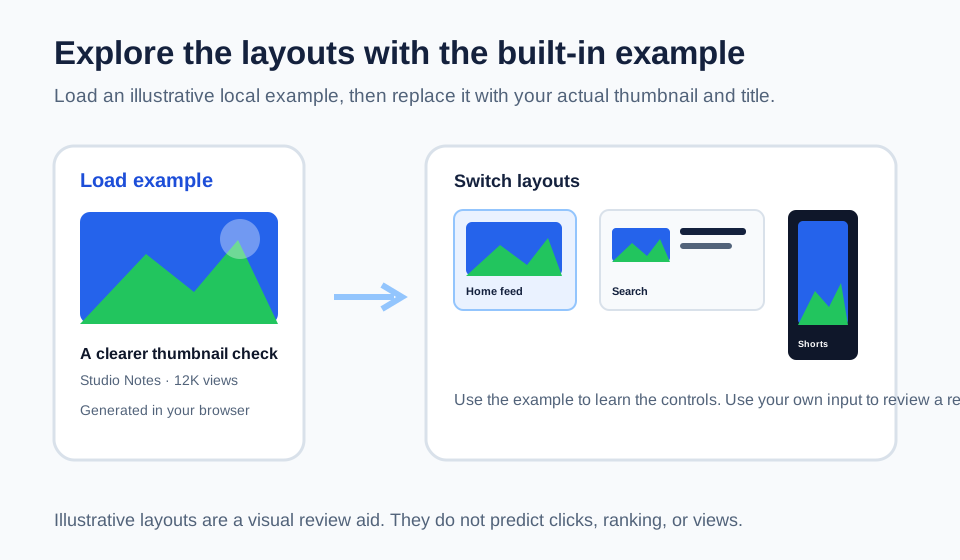
Load the example to see the layout controls immediately
MyThumbTester includes a Load example control that creates a 1280 by 720 illustrative image in the browser, fills example title and metadata fields, and renders the result in the selected layout. It lets you switch among Home feed, Search, Watch page, Shorts, Mobile, and Sidebar without first selecting a file. This is a reproducible implementation detail of the local tool, not a prediction of click-through rate, ranking, distribution, or views.
Use the example to learn what each layout emphasizes: the Home feed puts the image beside a short title area, Search gives the title more horizontal room, and Shorts uses a vertical surface with the title over the lower part of the image.
Replace the example before you make a publishing decision
The built-in image and details are only a way to explore the interface. They cannot show whether your own subject, color contrast, crop, or title wording will stay clear. Replace them with the exact local thumbnail and title you plan to use, then repeat the same layout checks.
Keep the example as a learning aid, not as evidence about your own video. A useful review begins when the input image and title match the material you intend to publish.
Use A/B example only to learn the comparison view
Load A/B example creates two generated illustrative versions and places them side by side in the same selected layout. This can help you understand how the comparison view works before loading Version B. It does not test an audience, randomize viewers, or measure a winner.
When reviewing real revisions, keep the layout and title fixed while changing the thumbnail version. Record visible differences such as subject size, crop, or text readability, then make the publishing decision yourself.
What an example cannot tell you
The example cannot represent a live YouTube interface, guarantee another platform’s layout, or forecast clicks, ranking, or views. Use it to learn the local preview controls, then use your own input for a visual review.