MyThumbTester guide
Why does a transparent PNG thumbnail get a background in a preview export?
MyThumbTester paints an opaque theme background before drawing your PNG, so the exported review records a composed layout rather than preserving the source transparency.
The preview paints its theme background before drawing your transparent PNG
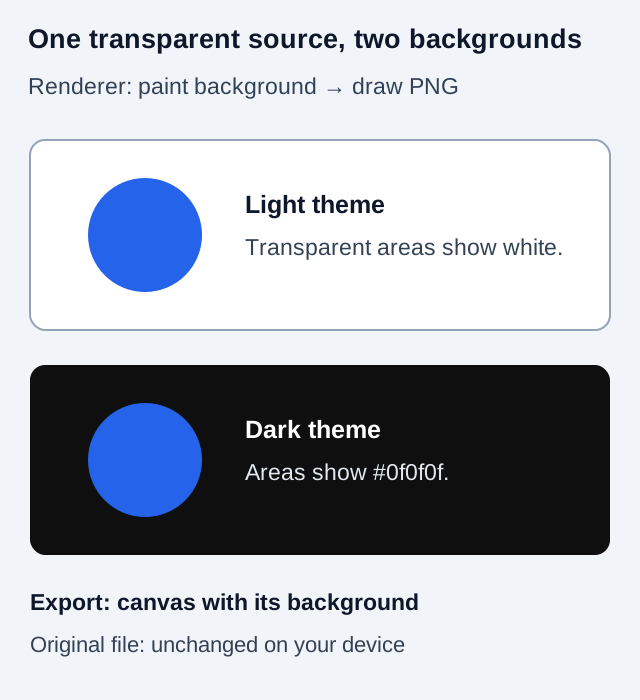
Transparent areas in a local PNG reveal the background already painted in MyThumbTester’s preview canvas. The renderer fills the full canvas with the selected opaque theme color before drawing your image into its thumbnail frame. In Home feed and Search, a fully transparent part of the image therefore shows the white light-theme background or the #0f0f0f dark-theme background. Download PNG exports that composed canvas, rather than preserving the source file’s transparent areas. This is implementation-derived evidence; MyThumbTester does not predict CTR, rankings, distribution, or views.
Your original PNG on your device is not rewritten by this preview. Keep it separately if you need its transparency for further editing. The downloaded PNG is a review record with layout context, title, and background.
Reproduce the check with one transparent image
Choose a PNG containing an opaque subject and a genuinely transparent surrounding area. Load that same file into the tester, choose Home feed or Search, and switch between light and dark mode without changing the image or title. Check the transparent area, not a white region baked into the source image.
A solid white pixel in your PNG stays an image pixel when you change themes. A fully transparent pixel allows the already drawn background to show through. Semi-transparent edges combine with the background and can look different on the two themes.
Save two reviews when the background matters
Export the light-theme preview and then export the dark-theme preview. Give the files distinct names so you can tell which background you reviewed. The default download name identifies the selected layout, so it is not a reliable label for the theme.
Use the two review records to spot a pale edge, dark outline, or other visible difference around the subject. They do not establish which background YouTube will use on every surface. Shorts adds its own illustrative gradient and controls, so use Home feed or Search for this simpler background check.
Keep the source asset and the layout export separate
If you want a transparent image for another design, use the original asset or an image editor that explicitly preserves transparency. If you want a record of the image inside MyThumbTester’s layout, use the PNG preview export. Its larger dimensions and composed background describe the review canvas, not a new source thumbnail or an audience-test result.