MyThumbTester guide
Keep a thumbnail review note before you publish
A five-field note makes a thumbnail review reproducible: record the input, title, layout, observation, and one next change.
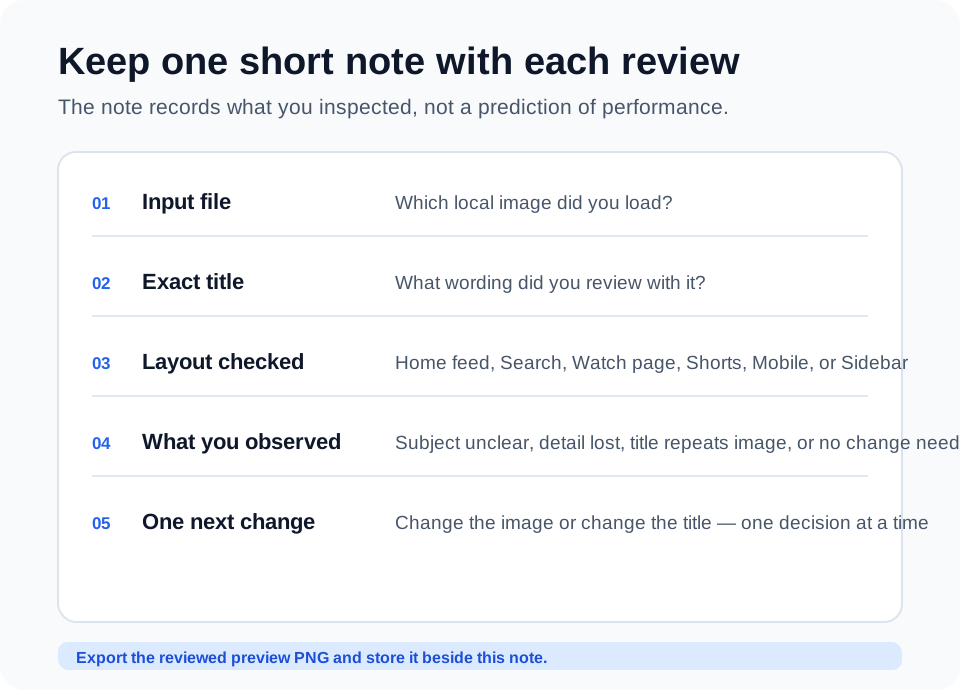
Write down the input you reviewed
A useful thumbnail review note has five fields: the local image file, the exact title, the layout checked, one observation, and one next change. This is enough to recreate what you saw without turning the review into a performance forecast.
MyThumbTester accepts a local image and title, then lets you switch between Home feed, Search, Watch page, Shorts, Mobile, and Sidebar. Record the same inputs that were on screen when you made the decision, then keep the exported PNG with the note.
Use the layout field to make feedback specific
Do not write only that a thumbnail looked weak. Write where it was weak. For example, a detail may be acceptable in Home feed but disappear in Sidebar, or the title may make sense in Search while repeating the image in Mobile. A named layout gives the next revision a clear target.
Keep the observation separate from the change
The observation describes what was visible: the focal subject blends into the background, small text disappears, or the title repeats the image. The next-change field names one action: enlarge the subject, remove the small text, or rewrite the title. Separating these two fields makes it easier to review a later version fairly.
What the note does not record
Do not use this note to guess click-through rate, ranking, or future views. It documents a visual inspection of an illustrative layout and the revision you chose to make before publishing.