MyThumbTester guide
Export a side-by-side thumbnail comparison as a PNG
Use MyThumbTester to place two local thumbnail versions in the same illustrative layout and export the combined comparison as a PNG.
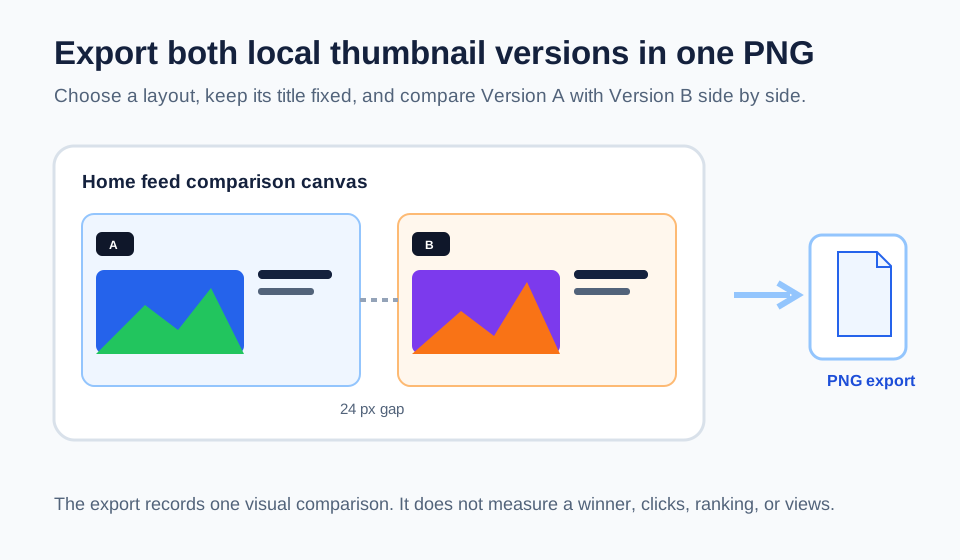
The comparison export contains both local versions in one layout
To export a side-by-side comparison, load your main thumbnail as Version A, load another local image as Version B, choose one illustrative layout, and select the comparison view. MyThumbTester renders both versions into one browser canvas with a 24 px gap between them; Download PNG exports that canvas locally. This is a reproducible local feature, not an audience A/B test or a prediction of click-through rate, ranking, distribution, or views.
The comparison output uses the selected layout’s height. For example, Home feed and Search comparisons are 1,784 by 460 px, Shorts is 784 by 660 px, Mobile is 824 by 620 px, and Sidebar is 864 by 580 px. The dimensions come from two layout widths plus the 24 px gap.
Keep the title and layout fixed while reviewing revisions
A useful comparison changes one visual version at a time. Keep the title, channel, metadata, color mode, and selected layout fixed, then inspect visible differences such as crop, subject size, contrast, or small details. This makes the exported PNG a record of a visual review rather than a collection of unrelated mockups.
If both images need different titles to make sense, review them separately first. A side-by-side comparison is clearest when the title remains the same and the image is the only deliberate change.
Use the exported PNG as a review record
The exported image can be kept with the video project, shared with a collaborator, or used to recall which visual distinction was reviewed. The two labels identify Version A and Version B inside the comparison canvas, but they do not designate a winner.
The tool does not upload the source images or the exported comparison to MyThumbTester. Your browser reads the local input images and creates the PNG from its canvas.
What a side-by-side export cannot answer
Seeing two versions together cannot show which one viewers prefer, which platform layout will appear for every viewer, or which version will earn more clicks or views. Use it to make a visual decision, then rely on real platform data for performance questions.