MyThumbTester guide
Does MyThumbTester upload your thumbnail image?
See how MyThumbTester reads a local image, renders an illustrative preview, and exports a PNG inside the browser.
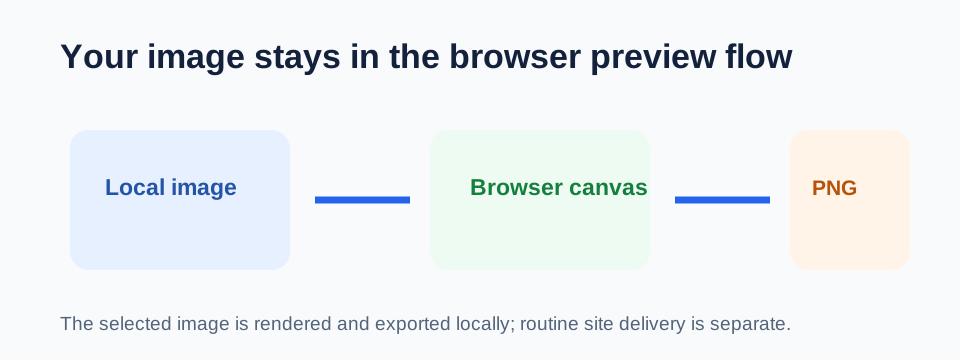
The thumbnail image stays in your browser
MyThumbTester does not upload the image you choose, drop, or paste into the thumbnail tester. Its browser code reads the local file with FileReader, assigns the resulting data to an in-browser image object, and draws that image onto the preview canvas. The downloaded PNG is created from that same canvas in the browser. This is a reproducible implementation detail, not a claim about click-through rate, ranking, distribution, or views.
You can verify the flow yourself: load a local image, enter a title, switch a layout, and download the PNG. The tool does not require an account or a server-side image library.
Website visits still make ordinary web requests
Local image processing does not mean the website makes no network requests. The page is delivered by Cloudflare Pages, and the site loads Google Analytics for basic site measurement. MyThumbTester is designed so that thumbnail images, titles, channel names, views, durations, and age values are not sent as Analytics events.
The website provider can deliver the page while the image selected in the tool stays in the browser. Read the Privacy policy for the current description of these practices.
Use a local export as the review record
After you inspect the image and title in a chosen layout, use Download PNG to create a local copy. The exported PNG records the illustrative layout you inspected; it is not proof of audience response, a live YouTube screenshot, or a performance forecast.
What local processing does not promise
Browser-local processing does not make a preview an official platform interface or guarantee that every live layout will match it. Use MyThumbTester to inspect your local image and title before publishing, not to predict outcomes.