MyThumbTester guide
Can you start a thumbnail comparison without loading Version B?
No. MyThumbTester requires a second decoded local image before it can render a side-by-side comparison, and shows a specific recovery message when Version B is missing.
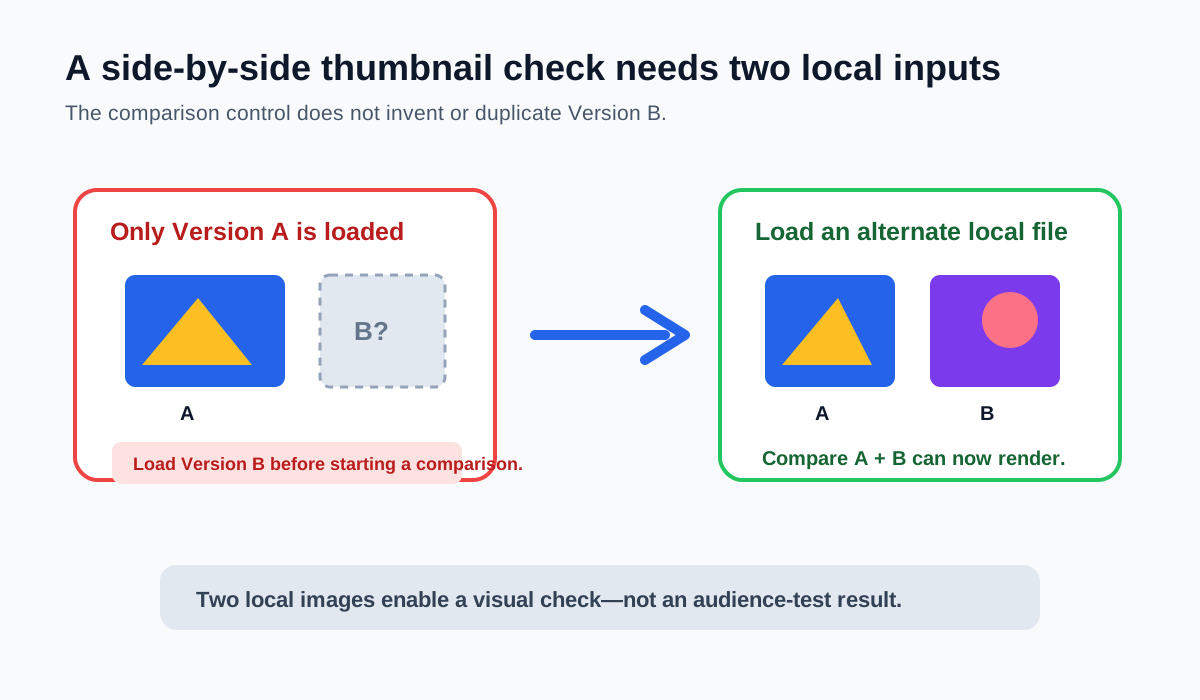
No—load Version B before starting a side-by-side comparison
No. MyThumbTester checks whether a second local image has successfully decoded before it turns on side-by-side mode. If Version B has not been loaded, the comparison control leaves the canvas unchanged and shows the defined message: “Load Version B before starting a comparison.” Add a JPG, PNG, WebP, or GIF as Version B first, then use the comparison button to render the two fixed local images in the same selected layout. This is a reproducible local-tool prerequisite, not a prediction of click-through rate, ranking, distribution, or views.
Version B is not generated by the tool or taken from a channel. You choose the second file from your device, so the comparison is limited to the two inputs you deliberately provide.
Why the tool stops before drawing a comparison
A side-by-side canvas needs a primary image and a separately decoded comparison image. Without Version B, there is no second source to draw in the B panel. Instead of duplicating Version A or using a placeholder that could be mistaken for a real revision, the tool asks you to load the missing file.
Once Version B loads, MyThumbTester keeps both browser-decoded inputs in the current page session and can draw them with a 24-pixel gap and A/B labels in the selected layout.
Use a short recovery sequence
Choose the Version B file control, select the actual alternate thumbnail, and wait for the local confirmation message. Then keep the layout and title fixed, press Compare A + B, and inspect the visible crop, subject scale, and title relationship. Export the combined PNG if you want to preserve the exact visual review record.
If the second file is rejected or cannot decode, choose a supported local image within the stated file limits. The tool does not upload either comparison image to a MyThumbTester server.
What side-by-side mode cannot decide
A successful local comparison only shows two fixed images in an illustrative layout. It does not show viewer preference, establish copyright permission, determine platform eligibility, or name a winner. Use a separate eligible audience experiment when the question is about audience response.