MyThumbTester guide
Check thumbnail and title balance in a Search preview
Use the MyThumbTester Search preview to check whether an image and two-line title can be understood together at the rendered sizes.
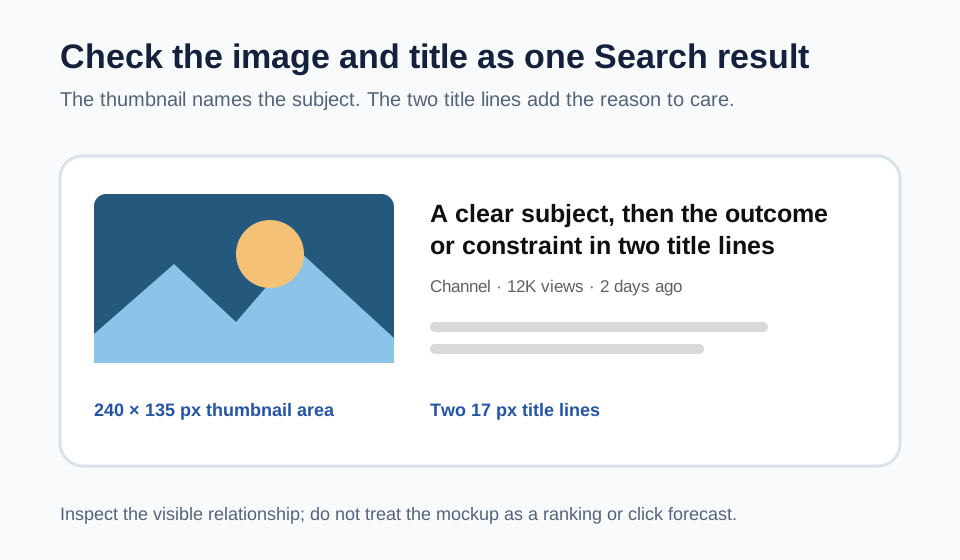
Read the image and title as one Search result
Use the Search preview to check whether a local thumbnail and its title form one understandable result. MyThumbTester draws the first Search thumbnail at 240 by 135 px, then places its title 18 px to the right in bold 17 px type for at most two lines with 24 px line spacing. Metadata and illustrative description lines sit beneath it. Those are reproducible layout details you can inspect; they do not predict click-through rate, ranking, distribution, or views.
Load the exact image and title, choose Search, and look at the image for the basic subject before reading the words. Then read only the two title lines. If the image and title compete to explain the same detail, remove the duplicate wording. If they make unrelated promises, revise the title or image so they answer the same question.
Do not use the gray lines as a rescue
The lines below the metadata are illustrative context, not a place to hide the main idea. In the MyThumbTester Search preview, the title and thumbnail must carry the identifying information on their own. A clear result should still be understandable before a viewer reaches secondary text.
If the image only makes sense after a long explanation, simplify its subject. If the title only makes sense after looking closely at the image, move the specific result, question, or constraint into the first line.
Compare one relationship at a time
Keep the local image fixed while you change one title phrase, or keep the title fixed while you change one image detail. Return to Search and record the visible relationship: image names the subject, title adds the outcome; or image and title both repeat the same word. This creates a repeatable visual review rather than a guess.
Export the Search PNG when the image and two-line title have distinct jobs. The PNG records the illustrative layout you inspected; it is not an audience experiment.
What this Search preview cannot answer
A Search preview cannot show the actual neighboring results, determine how a search engine will rank a video, or determine whether a viewer will click. Use it only to inspect the local thumbnail and title relationship in the MyThumbTester illustrative layout.