MyThumbTester guide
Check duration badge placement in thumbnail previews
Use MyThumbTester to check whether a duration badge covers an important part of a local thumbnail in different preview layouts.
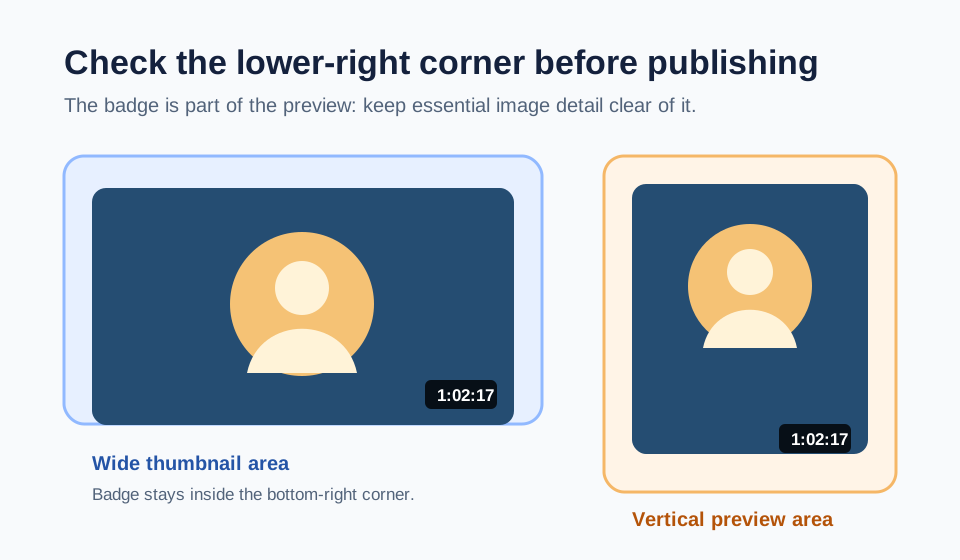
Check the bottom-right corner before choosing a thumbnail
Before you rely on a thumbnail lower-right corner, add the intended duration in MyThumbTester and switch through the layouts you plan to review. When a duration is present, MyThumbTester draws a dark badge inside the bottom-right of each thumbnail area. The badge text is measured in 11 px type and given 10 px of horizontal padding, so a longer duration occupies more of that corner. This is a reproducible presentation check, not a prediction of click-through rate, ranking, distribution, or views.
Load the local image, enter the title, and enter the duration exactly as you expect it to appear. Look first at the lower-right image corner before reading the badge. If a face, label, price, or other important detail sits there, move that detail in the source image or choose a different composition.
Use the same duration across layouts
Keep the image and duration fixed while you compare Home feed, Search, Watch page, Mobile, Sidebar, and Shorts. The thumbnail areas change size and shape, while the badge remains anchored to the lower-right corner of the image area. That lets you inspect a specific placement conflict instead of guessing from the original full-size image.
A short value such as 8:42 and a longer value such as 1:02:17 do not occupy the same visual width. Check the exact text you plan to use rather than a placeholder, especially when the lower-right corner contains information needed to understand the image.
Make one composition change, then inspect again
Keep the duration and title unchanged while you shift the focal object, remove corner text, or add empty space near the lower-right edge of the source image. Return to the same layout and record whether the badge still overlaps anything essential. One change at a time makes the visual decision reproducible.
Export the selected PNG after the corner remains clear. The export documents the illustrative layout you inspected; it is not evidence of audience response or video performance.
What this badge check cannot answer
A preview cannot determine whether a platform will display a duration in every context, whether someone will click, or how a video will perform. Use this check only to inspect the lower-right badge placement in MyThumbTester illustrative layouts.