MyThumbTester guide
Check whether a downloaded YouTube thumbnail still works at Sidebar and Mobile size
Use MyThumbTester’s Sidebar and Mobile layouts to inspect the same downloaded public thumbnail at two small, reproducible local frame sizes.
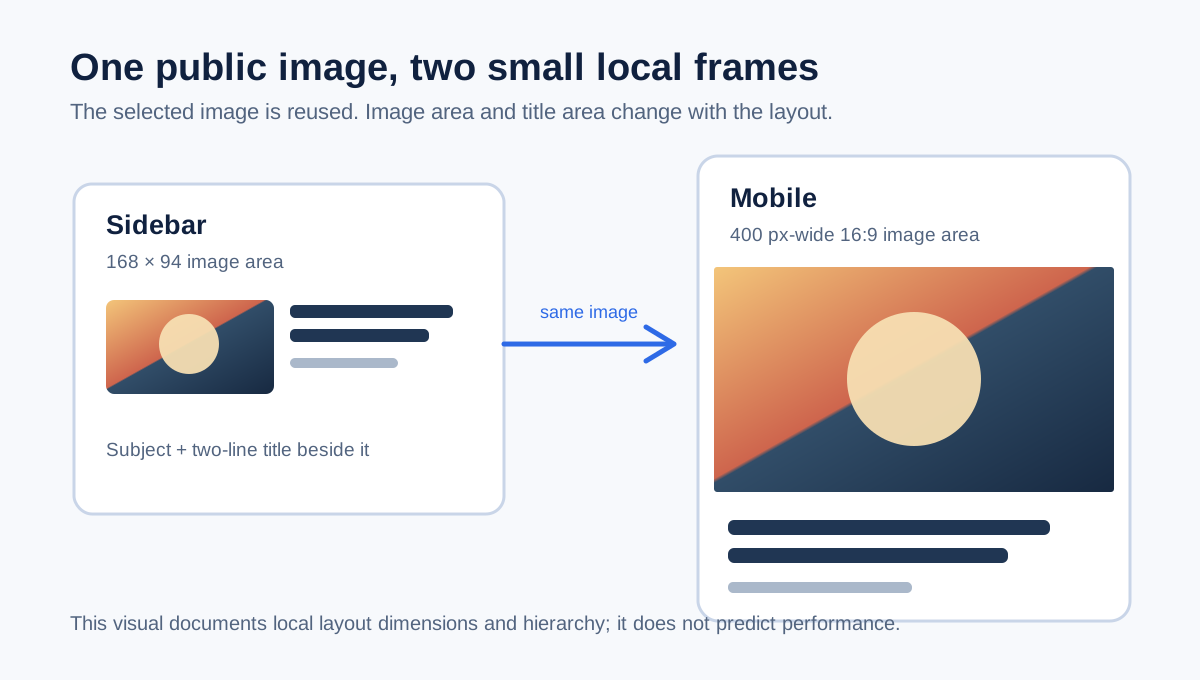
Use Sidebar and Mobile to inspect the same image at smaller display sizes
After the downloader finds an available public YouTube thumbnail image, open it in MyThumbTester and switch to Sidebar and Mobile. The Sidebar renderer places the image in a 168 by 94 pixel thumbnail area, while the Mobile renderer uses the full 400 pixel canvas width with a 16:9 thumbnail height. Both render the same selected image through the local preview workflow, so you can make a repeatable small-frame observation before exporting a PNG. This is an implementation-derived visual check, not a prediction of click-through rate, ranking, distribution, or views.
Look first for the main subject and any small visual details. Then add the exact title you plan to use and check whether it remains distinct from the image in each illustrative layout.
Use only a public image that the downloader actually found
Paste a public YouTube URL or 11-character video ID into the downloader and choose one of the image sizes that it lists as loaded. The browser measures those public image responses, and the available sizes can vary by video. The tool handles public thumbnail images only; it does not download a video or make unavailable images appear.
Choose Open in thumbnail tester to transfer the selected public image into the six-layout preview. The browser session data is used only for that handoff and removed after the tester reads it.
Make the small-layout check in a fixed order
Start in Sidebar, where the first card uses a compact 168 by 94 image area next to a two-line title area. Then open Mobile, where the same image is rendered above the title in a full-width 16:9 region. Note one visible observation for each frame, such as whether the subject is still identifiable or whether a small detail is no longer useful at that size.
If you need a review record, export either layout as PNG. The exported file records MyThumbTester’s local illustrative frame and the title at the time of review; it does not guarantee a matching third-party display.
What a small-layout check cannot tell you
Seeing an image in Sidebar and Mobile cannot establish rights to reuse it, recover a missing public size, confirm how a third-party service will crop it, or show which thumbnail will gain more clicks, rankings, distribution, or views. Use these two local frames to inspect presentation, then use real platform data for performance questions.