MyThumbTester guide
Download a YouTube thumbnail, then check its crop in wide and Shorts previews
Download an available public YouTube thumbnail, then use MyThumbTester’s wide and Shorts layouts to see how the same image is center-cropped in each illustrative frame.
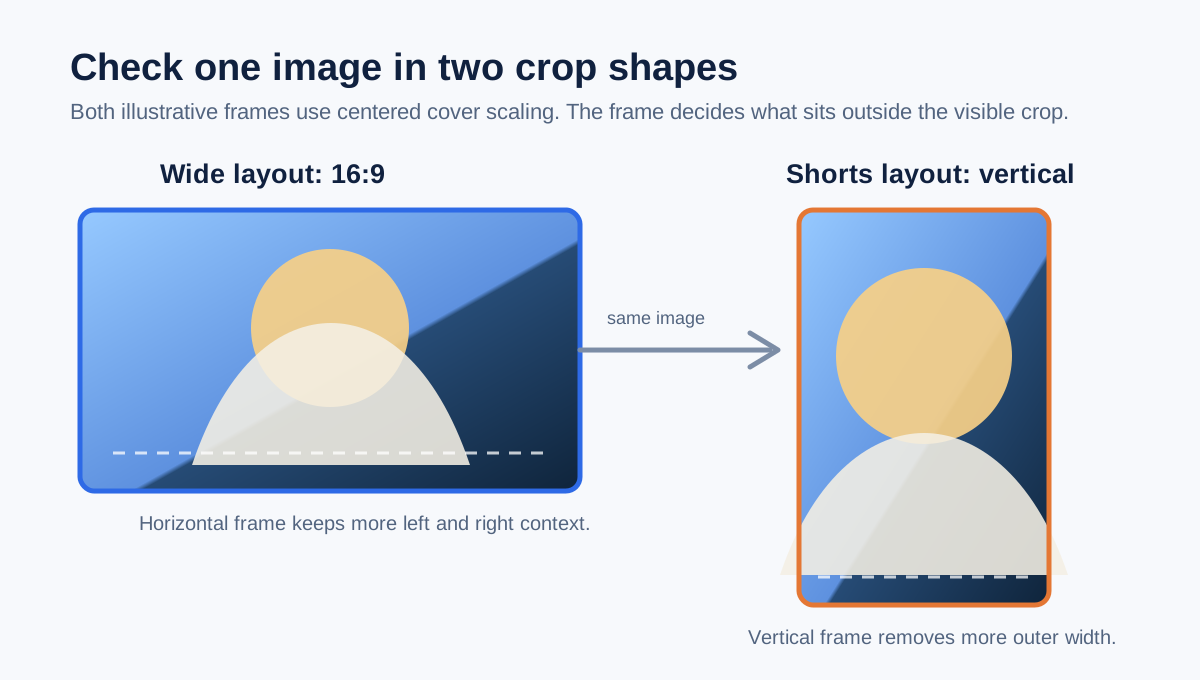
Use the same downloaded image in both frames before judging its crop
After MyThumbTester’s YouTube Thumbnail Downloader finds an available public image, use Open in thumbnail tester and switch between a wide layout and Shorts. The selected image is passed to the tester, whose renderer uses centered cover scaling in both frames: the wide thumbnail area is 16:9, while the Shorts image area is vertical. The same image can therefore show different visible edges in the two illustrative frames. This is a reproducible renderer behavior, not a prediction of click-through rate, ranking, distribution, or views.
Check whether the main subject remains visible when the frame changes shape. If it does not, record that as a crop observation about this image and these local layouts; do not treat it as evidence of platform performance.
Start with an image the downloader actually lists
Paste a public YouTube URL or video ID into the downloader and choose only an image option that the browser lists as loaded. Those options are measured from public image responses; available sizes can differ by video. The downloader does not download a video or recover a thumbnail image that is not publicly available.
Choose Open in thumbnail tester for a layout check, or download the listed JPG first if you need a local copy. The tester keeps the selected public image in the browser only long enough to load it into the preview workflow.
Compare the wide and vertical crop deliberately
In a wide layout, notice what remains inside the horizontal 16:9 area. Then switch to Shorts and inspect the vertical frame. Because each frame uses centered cover scaling, the image fills the available area and portions outside that area can be outside the visible crop. Add the title after you have checked the image subject so that text does not hide a crop problem.
Export the layout you want to keep as a PNG review record. The export documents the chosen local layout and title at that moment; it does not prove that a third-party app will crop or display the thumbnail in the same way.
What this crop check cannot answer
The check cannot establish ownership or reuse permission for a public image, guarantee how YouTube or another service will render it, or tell you which version will get more clicks, better ranking, wider distribution, or more views. Use it to make a concrete image-crop review, and use real platform data for performance decisions.