MyThumbTester guide
Check title length in a Home feed preview
Use the Home feed preview to check whether the first two title lines identify a video in MyThumbTester’s four-card layout.
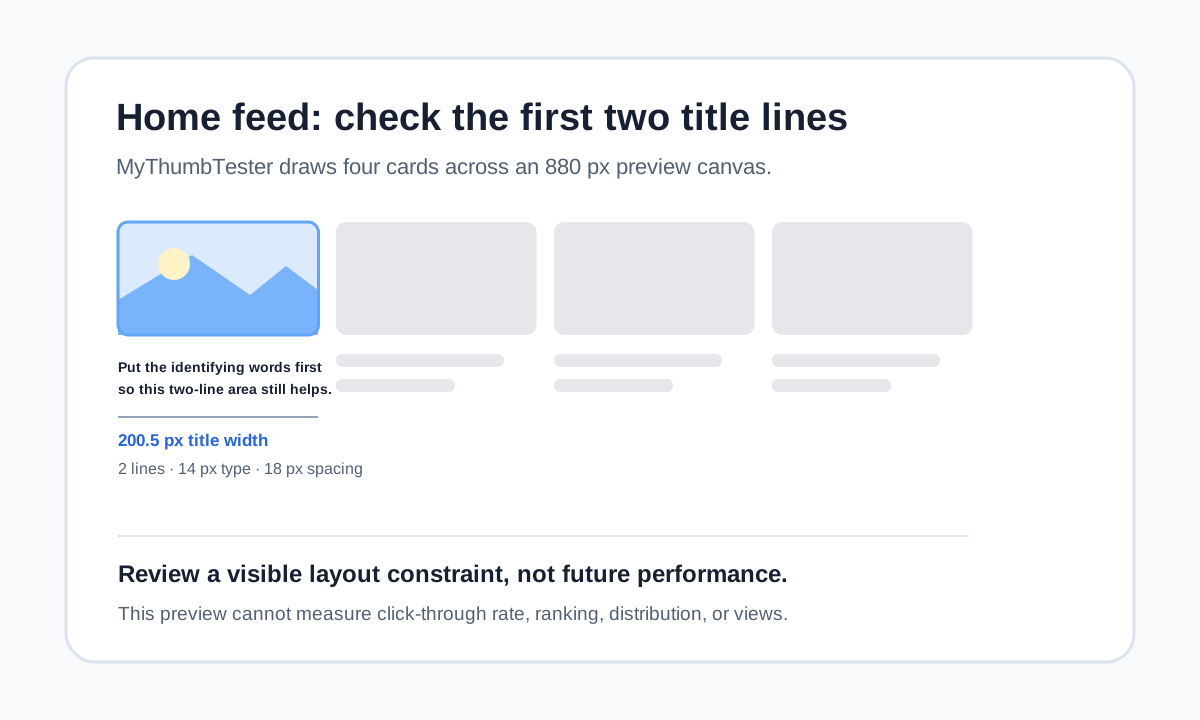
Read the first card at its actual title width
Use the Home feed preview to check whether the first words of a title identify the video before the title runs out of room. MyThumbTester draws four cards across an 880 px canvas: after 18 px outer padding and three 14 px gaps, each card is 200.5 px wide. The first card title is drawn in bold 14 px type, limited to two lines with 18 px line spacing. That is a reproducible layout constraint you can inspect; it is not a prediction of clicks, ranking, distribution, or views.
Load one local thumbnail and enter the exact title you intend to publish. Choose Home feed, then read only the first two rendered lines. If the subject, outcome, or question appears after those lines, move that information earlier instead of relying on the end of the title.
Let the image carry the basic subject
A smaller card cannot make an unclear image clearer through a longer title. Before editing words, look at the thumbnail without reading the title and name the visible subject. If you cannot name it, simplify the image or strengthen the focal subject first.
Once the thumbnail carries the basic subject, use the title to add the missing context: what changed, why it matters, the constraint, or the result. This keeps the first title line useful without making a promise the image cannot support.
Change one thing and compare again
Keep the image fixed while you move the identifying phrase to the start of the title or remove a less useful clause. Return to the Home feed layout and record what is visible in its two-line title area. Make one wording change at a time so the review refers to a visible difference.
Export the selected PNG after the preview is clear. The export records the illustrative presentation you reviewed; it is not an audience test or a measure of future performance.
What this preview cannot answer
A Home feed mockup cannot tell you which videos will appear nearby for a viewer, whether someone will click, how YouTube will distribute a video, or how many views it will receive. Use it to inspect title order and visible space in MyThumbTester’s illustrative four-card layout.