MyThumbTester guide
Check title and metadata in a Mobile preview
Use the Mobile preview to inspect whether a title identifies the video before the metadata line, without treating the layout as performance data.
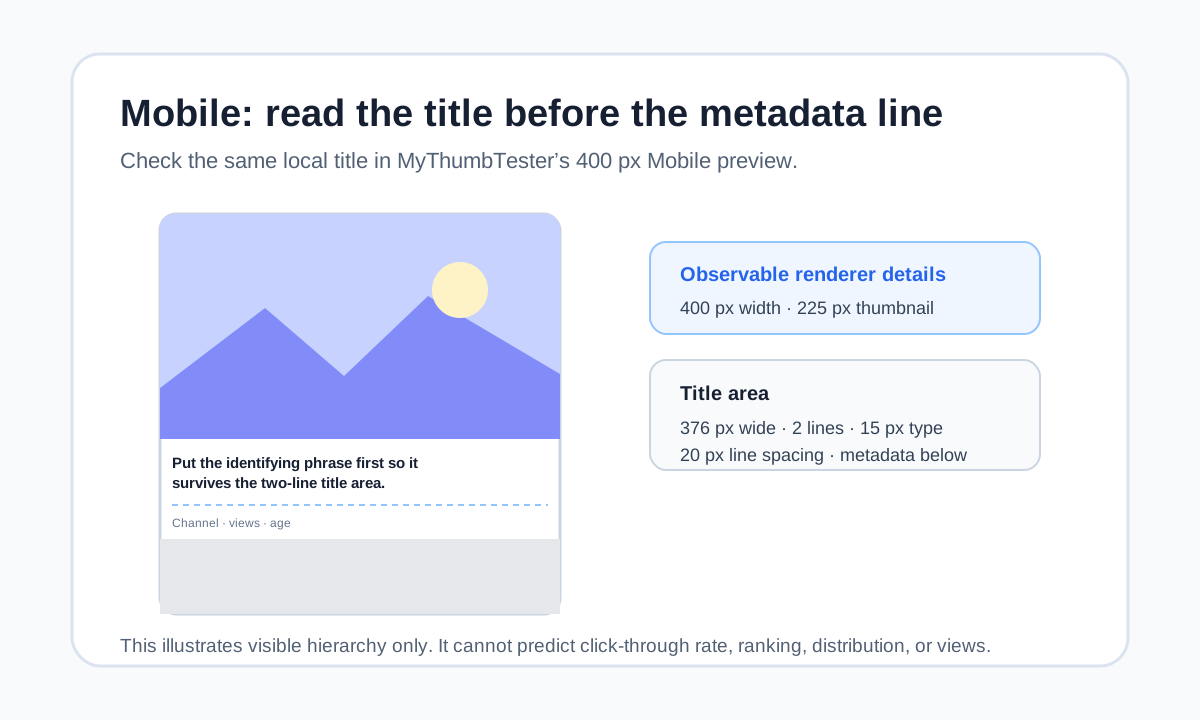
Read the title before the metadata line
Use the Mobile preview to check whether the first two title lines identify a video before the metadata line begins. MyThumbTester’s Mobile renderer is 400 px wide, draws a 225 px-tall thumbnail, then places the title in a 376 px-wide area using bold 15 px type, at most two lines, with 20 px line spacing. It draws metadata below that title area and begins the next illustrative card at 325 px. Those are reproducible layout details you can inspect; they do not predict clicks, ranking, distribution, or views.
Load the local thumbnail and enter the exact title. Choose Mobile and read the first title line, then the second, before looking at channel, views, or age. If the identifying subject appears too late, move it earlier or remove a weaker clause.
Do not make metadata rescue an unclear title
The metadata line is secondary context. A viewer should be able to understand the basic subject from the image and title without using channel or view text to explain it. First inspect the thumbnail alone, then read the title, and only then check whether the metadata remains visually separate.
If the image is crowded, shortening the title may not solve the underlying problem. Simplify the visual message first, then use the title for the missing outcome, constraint, or question.
Compare one title revision at a time
Keep the local image fixed. Make one title change, return to Mobile, and write a short observation such as “first line names the subject” or “result only appears after the second line.” That creates a repeatable visual review instead of changing several inputs at once.
Export the Mobile PNG after the title and metadata hierarchy is clear. The export records the illustrative layout you checked, not an audience response.
What this preview cannot answer
A Mobile mockup cannot show which videos appear near a viewer, whether someone will tap, how YouTube will distribute a video, or how many views it will receive. Use it only to inspect the relationship between a local thumbnail, title order, and metadata in MyThumbTester’s illustrative mobile layout.